Balik.in Lost & Found Matching App
A secure and structured platform designed to help people reconnect with their lost items through a smart matching system.
My Role

UI/UX Designer

User Flow & System Design
Problem & Solution
In environments such as campuses or public communities, lost items are often reported through informal channels like group chats or social media. This approach is not only inefficient but also risky, as sensitive information about lost items can be misused, leading to false claims or fraud. There is a lack of a structured and secure system that can properly mediate between people who lose items and those who find them.
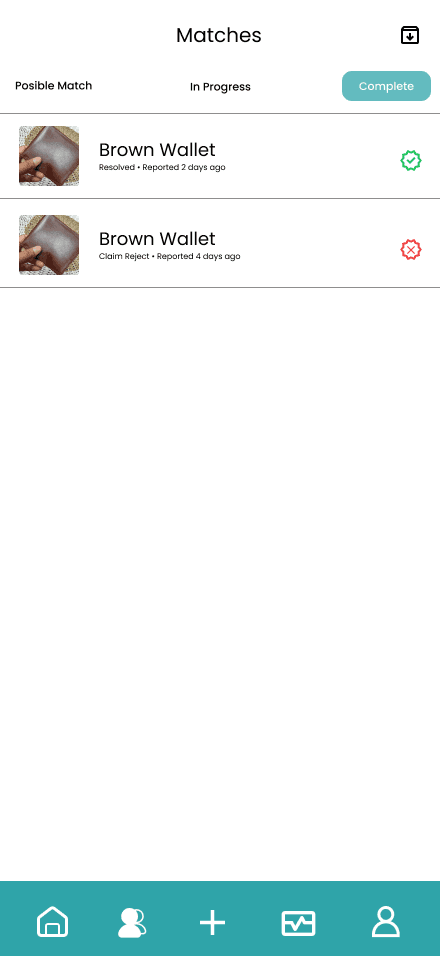
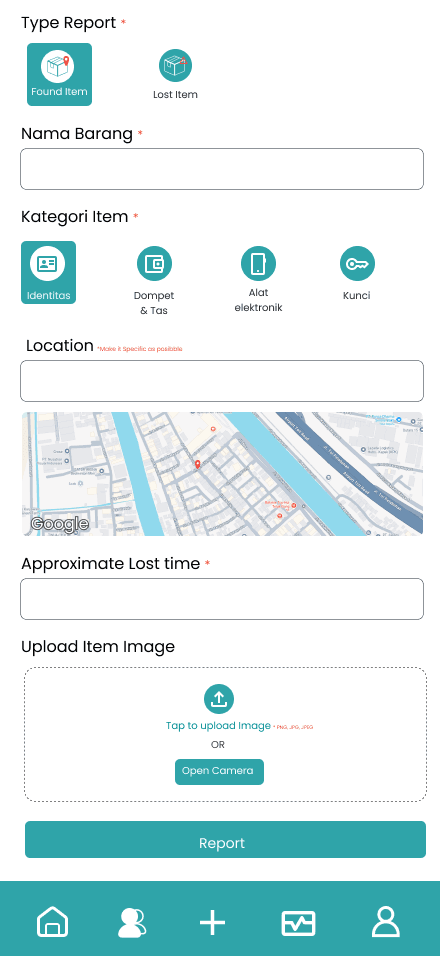
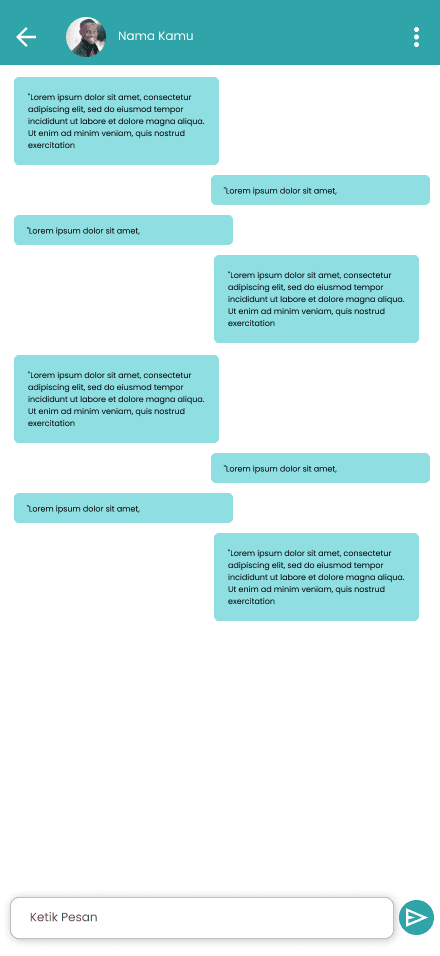
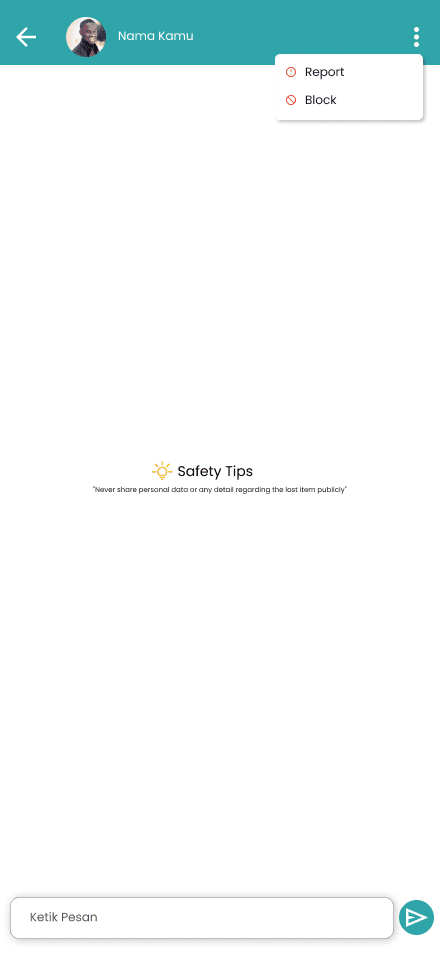
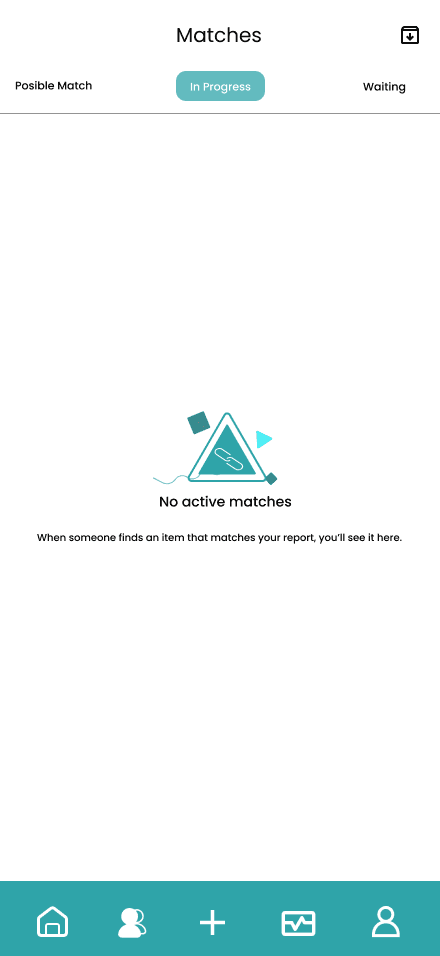
To address this issue, I designed Balik.in, a lost-and-found application that connects item owners and finders through a structured matching system. Instead of openly sharing sensitive details, the system evaluates and matches reports based on item characteristics, then ranks potential matches to ensure accuracy. Once a match is identified, users can securely communicate through an in-app chat to arrange item return, minimizing the risk of information misuse.
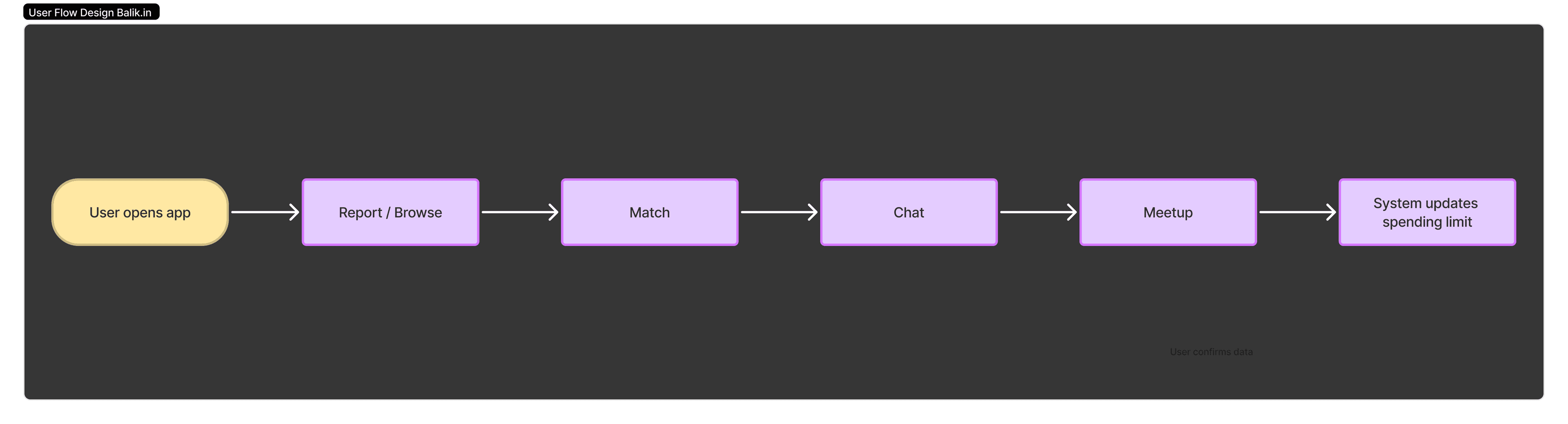
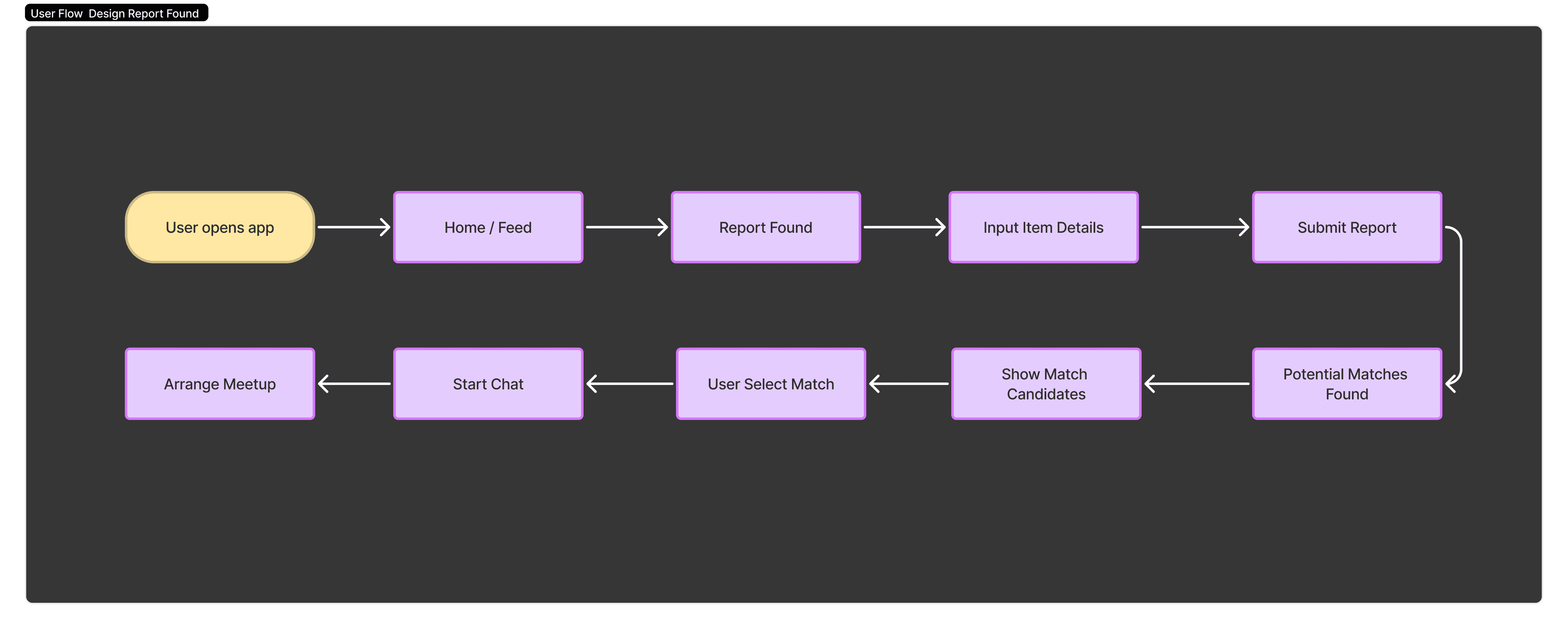
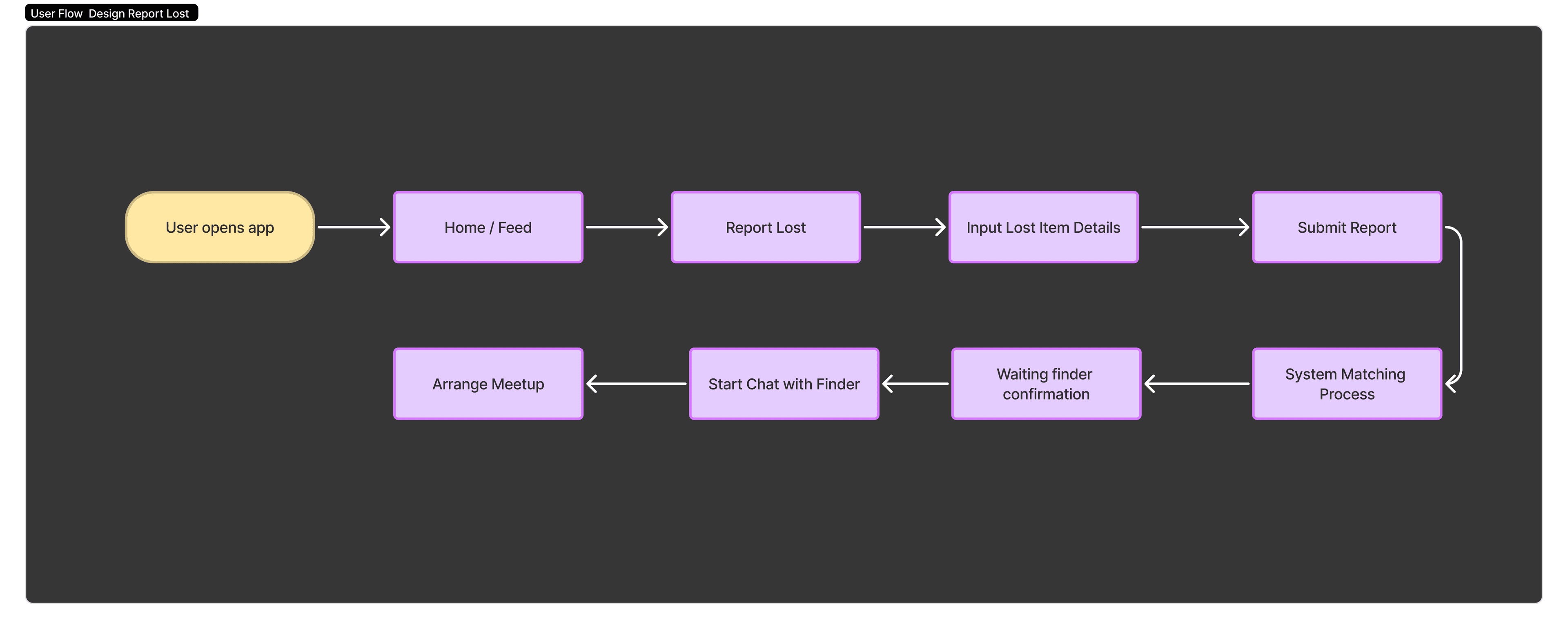
User Flow Overview
This flow illustrates how users report lost or found items and how the system processes and matches the data. The process is designed to guide users from reporting an item to verifying potential matches and securely communicating within the app.
Design Goal
The goal of this design is to create a secure and reliable system for reporting and retrieving lost items.
The app focuses on minimizing misuse of information while ensuring a smooth and trustworthy user experience.
Key Features
• 🔍 Smart Matching System — Matches lost and found reports based on item details
• ⭐ Match Scoring — Ranks potential matches based on similarity
• 💬 In-App Chat — Secure communication between finder and owner
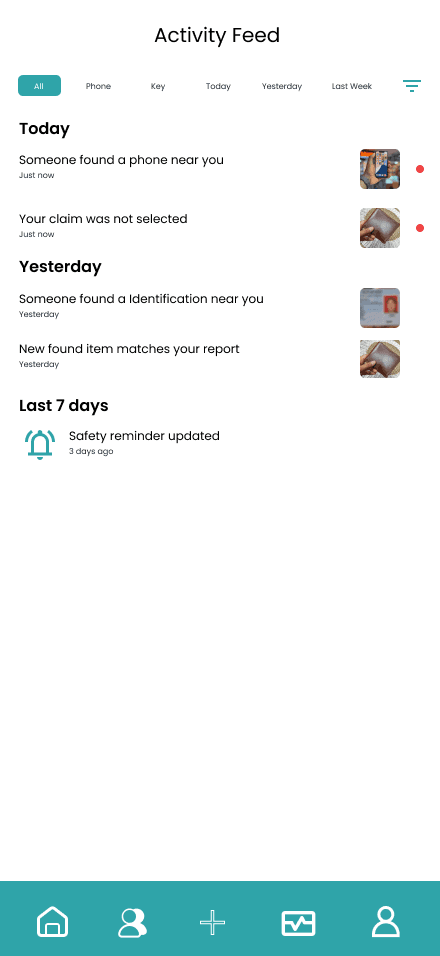
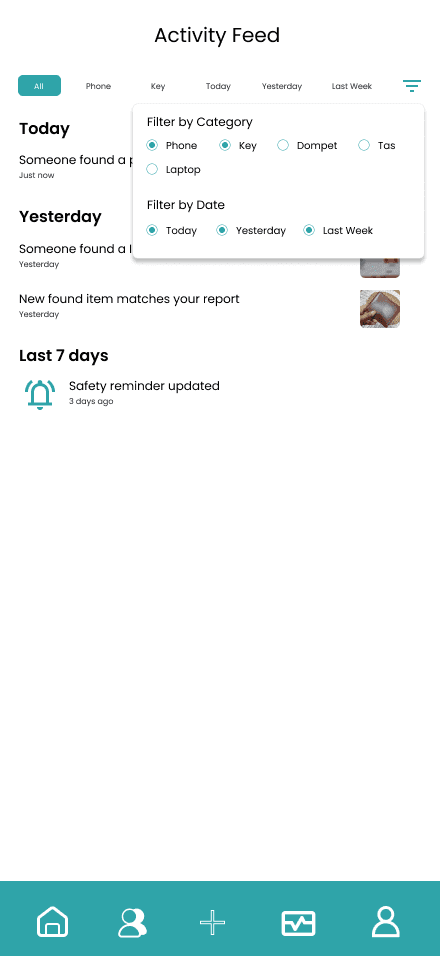
• 📰 Activity Feed — Displays recent reports and updates
• 🔔 Notification System — Alerts users when a potential match is found
UI/UX Approach
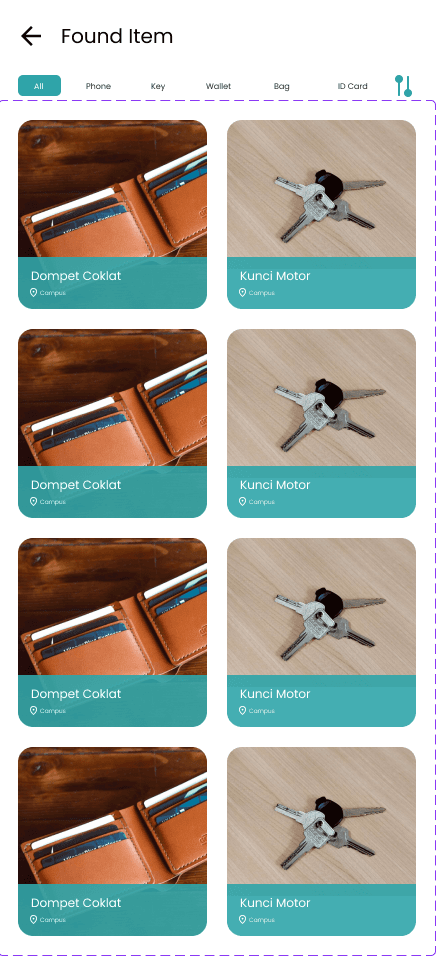
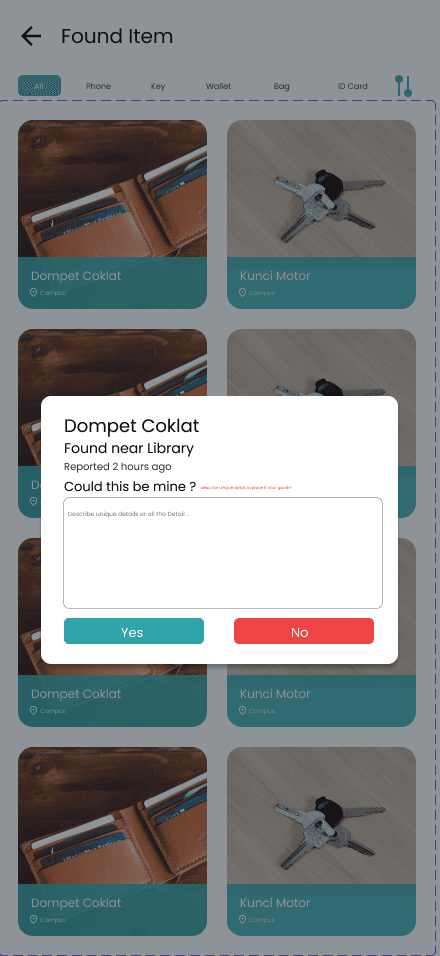
The main focus of this design is balancing openness and security. Instead of exposing full item details publicly, the system introduces a controlled matching process to prevent false claims.
The addition of match scoring helps users identify the most relevant results, while in-app communication ensures privacy and reduces external risks.
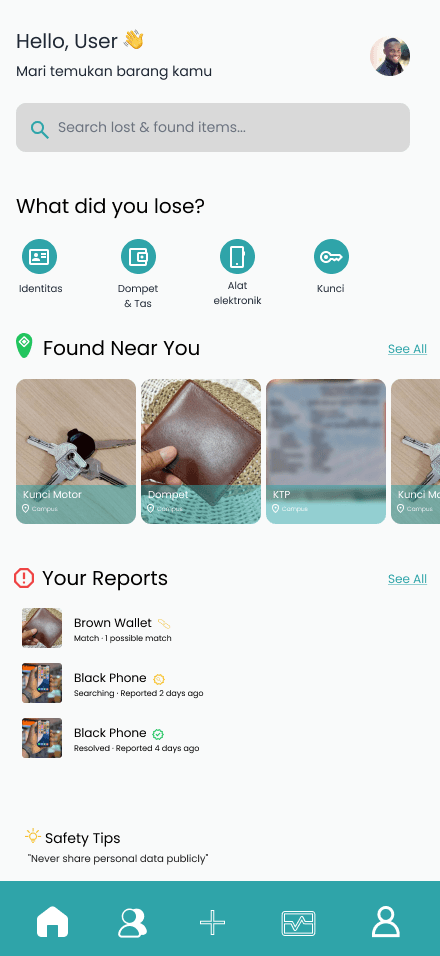
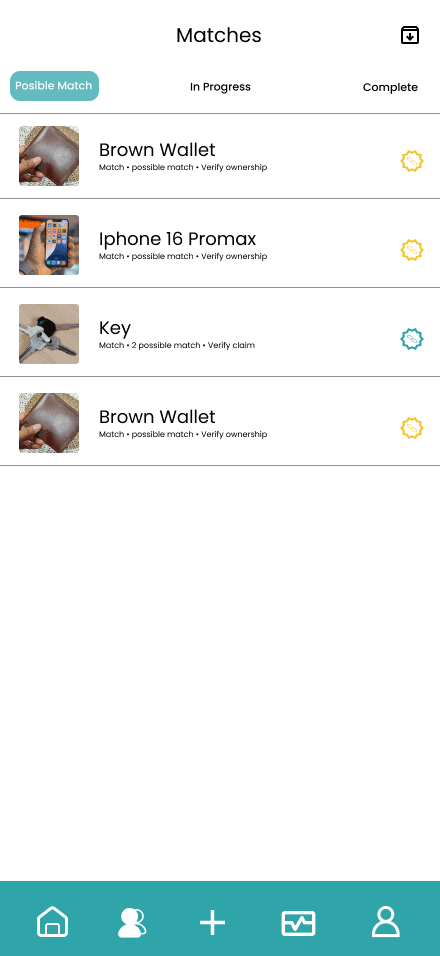
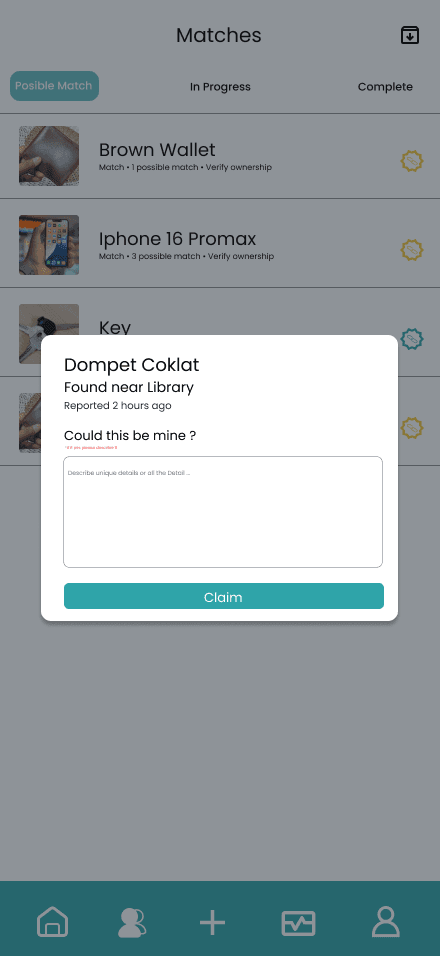
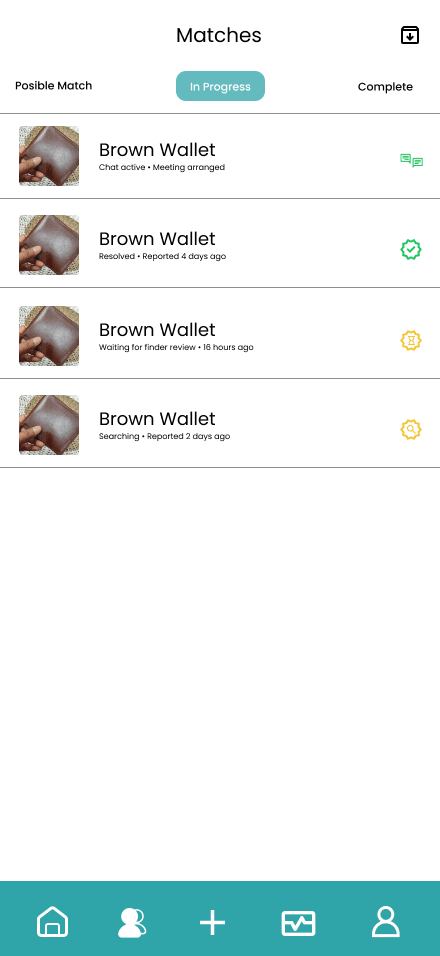
Final UI Showcase
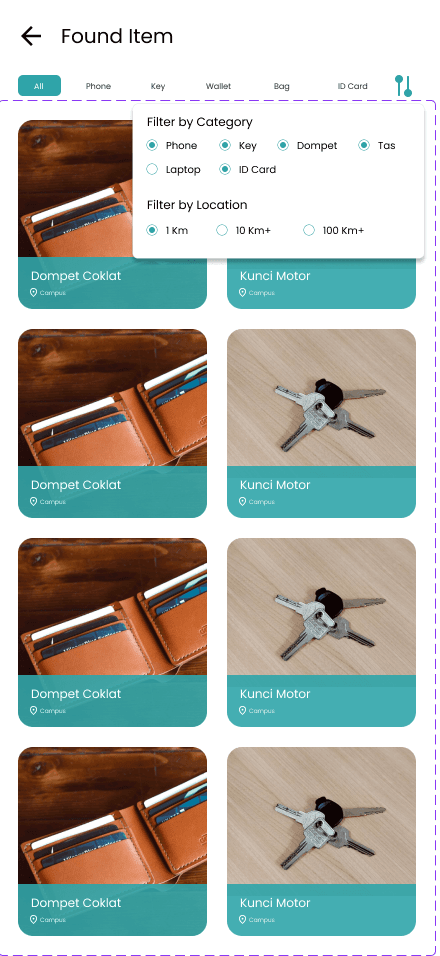
The final UI emphasizes clarity and simplicity, with a focus on guiding users through the matching process. Visual hierarchy and clean layout are used to ensure users can quickly understand item details, match results, and available actions.


Challenges
One of the main challenges in this project was designing a system that balances transparency and privacy.
Providing enough information for matching while preventing misuse required careful consideration of what data should be visible at each stage.
Another challenge was designing a matching flow that feels intuitive without overwhelming users with too much information.
Result
The result is a structured and secure lost-and-found application design that improves how users report and recover lost items.
The design demonstrates a strong focus on user trust, system clarity, and efficient interaction flow.
What i Learned
• Designing systems that involve trust and user security
• Creating structured flows for matching-based features
• Balancing information visibility and privacy
• Improving UX for community-based applications